
Write or Scan
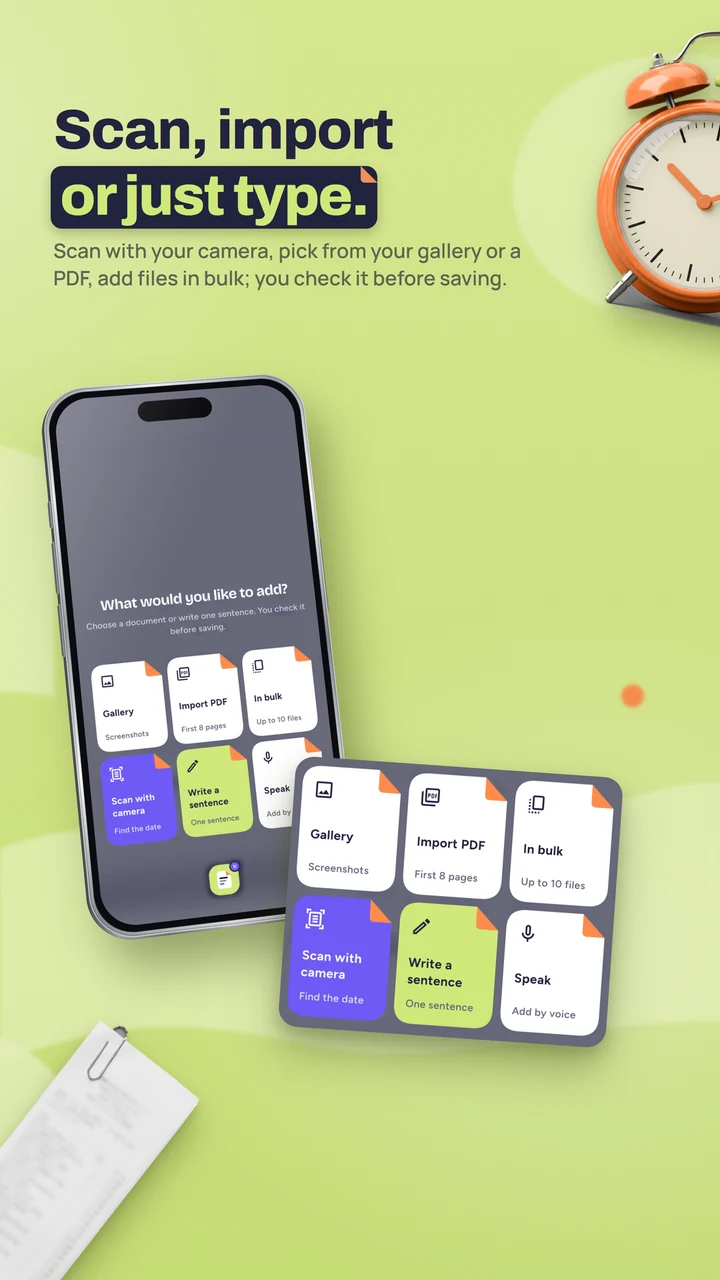
Scan a document, choose a photo or PDF, or simply put it in your own words.
 SnapDue
LESS ON YOUR MIND. MORE LIFE TO LIVE.
A break, a bill, a return… You don’t have to keep it all in your head. Write or scan it, then remember on time. Make room for your day.
01 / A SMALL HABIT
A photo, a PDF or just a sentence. The rest is a few taps away.
Scan a document, choose a photo or PDF, or simply put it in your own words.
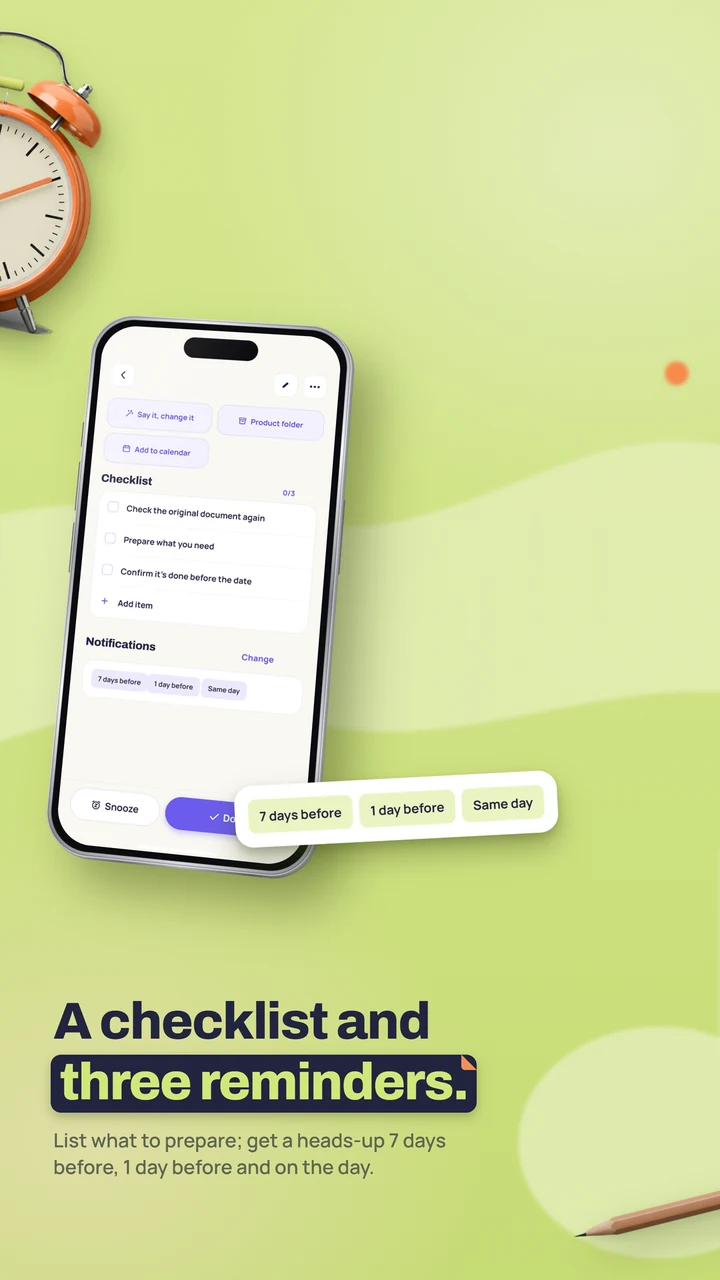
Check the suggested date against your document. Choose when to be reminded. You’re in control.
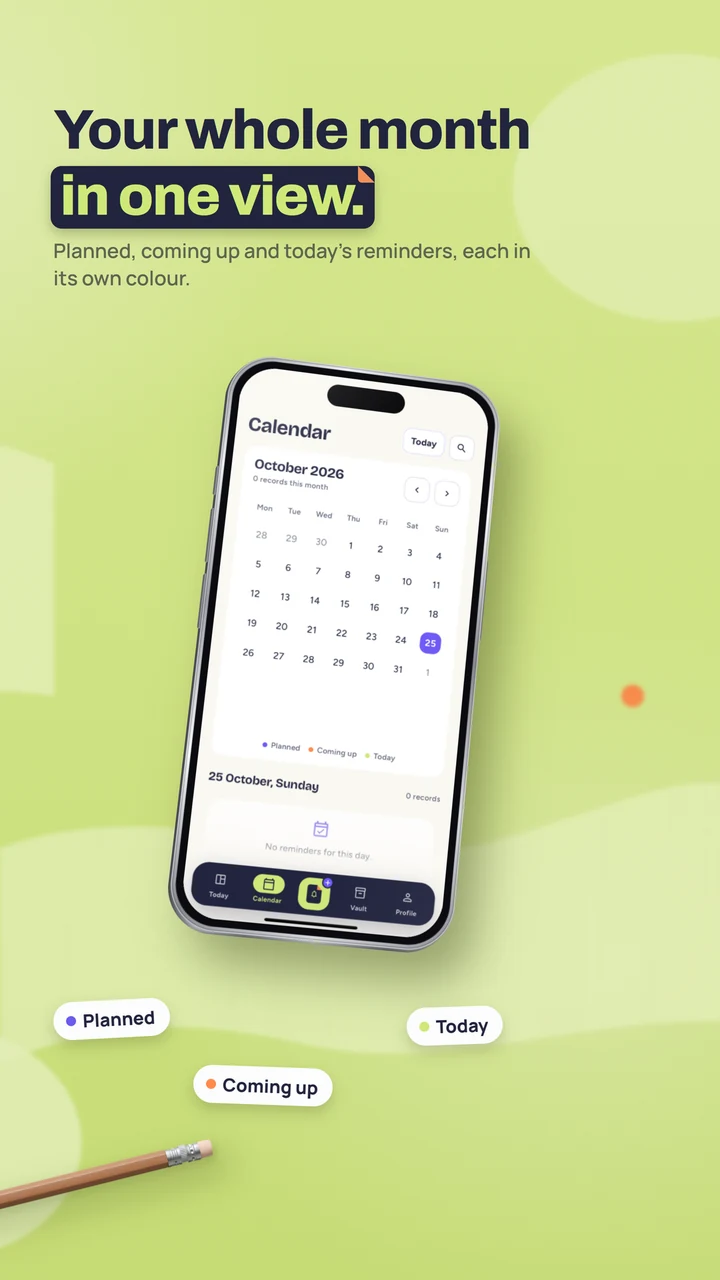
Your dates are together and your reminders are set. Export to your calendar whenever you like.
02 / START WITH A SENTENCE
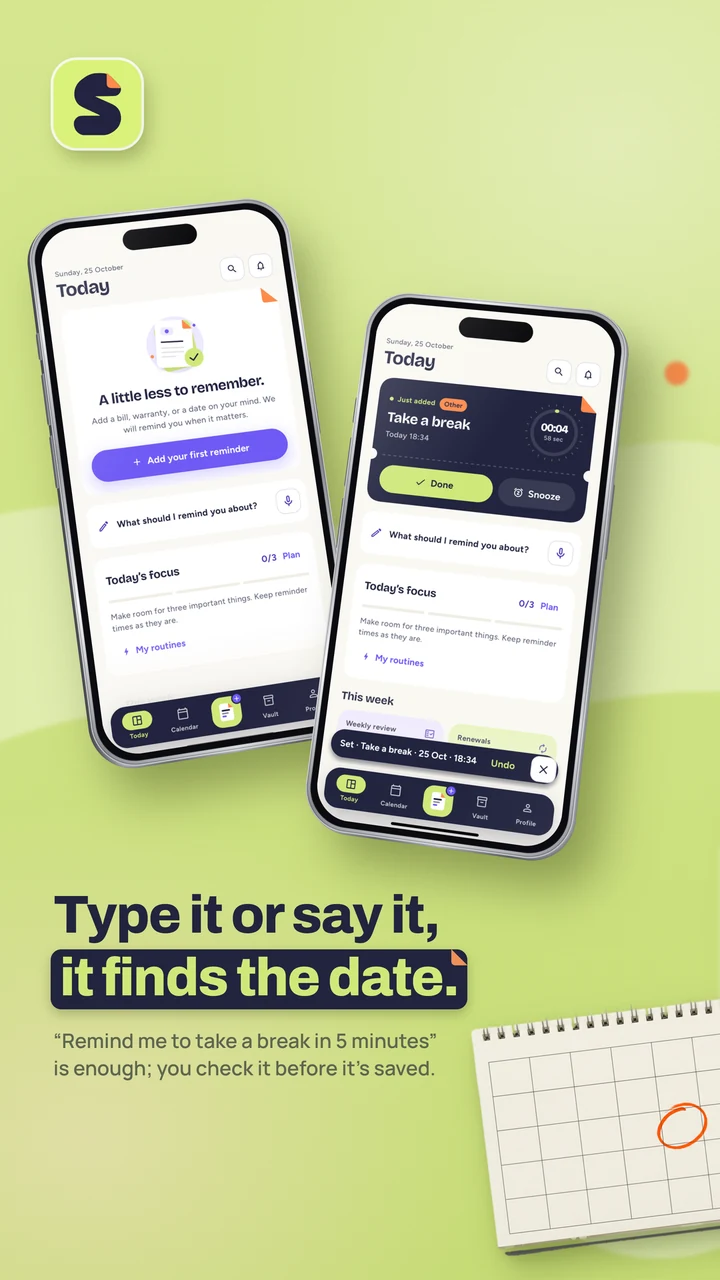
Skip the menu maze. Get task and time suggestions from simple sentences. You check the details before saving.
Basic date suggestions work on your device. Voice input uses your phone’s speech recognition service.
A LITTLE PREVIEW↗REMINDER SUGGESTION
This is a preview. Create your real reminder in the app.
03 / MORE THAN A DATE
What needs a decision this week? Which refund is still pending? Give all those loose ends a place.
YOUR WEEK, ALL TOGETHER.
Feature preview · Example records
BEFORE IT RENEWS
Keep using it, or make a little time to cancel?
Example view. You complete cancellation with the provider.
WHERE’S THAT REFUND?
Amount received↩
Example record. You record repayments; no bank connection.
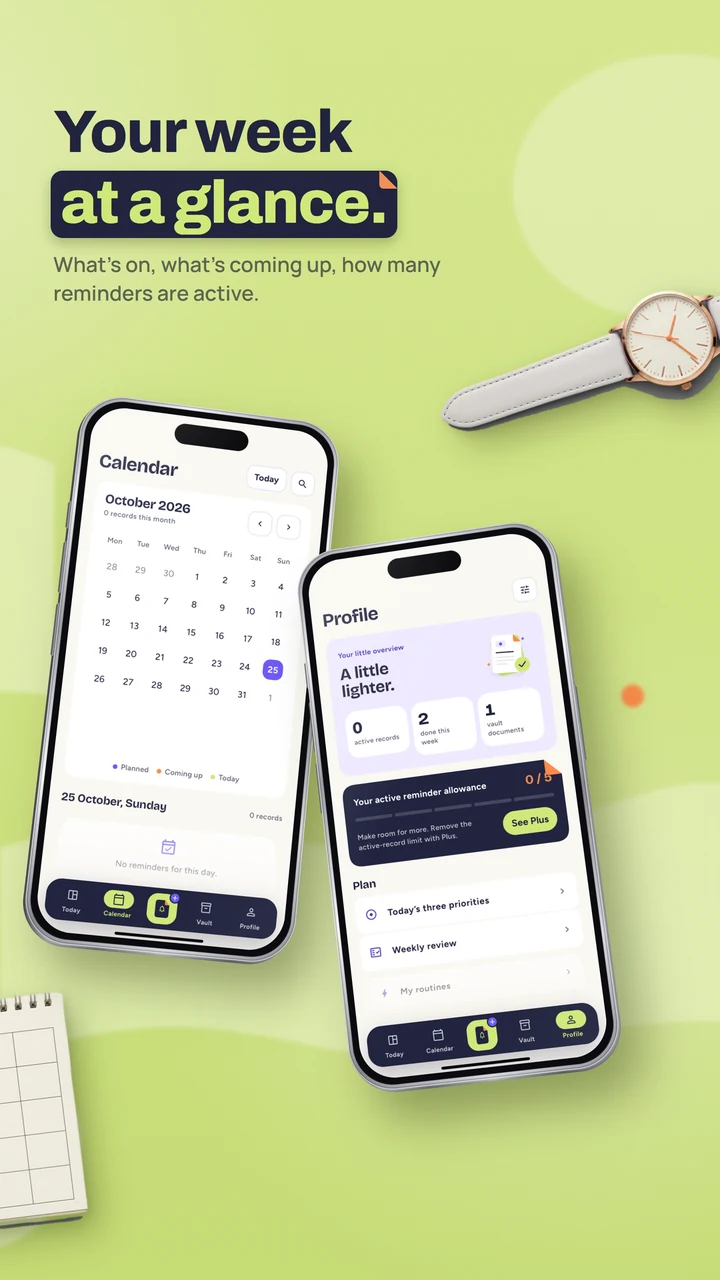
Bring upcoming, overdue and undecided tasks together in your weekly review.
Keep a subscription or plan a reminder to cancel a trial. You complete the cancellation with the provider.
Record the expected amount, partial repayments and when the money arrives. Keep the whole return in view.
With calendar permission, see busy times and approve a suggested slot for eligible flexible personal tasks.
04 / FROM RECEIPT TO REMINDER
Scan a receipt, bill or warranty. Add a photo, PDF or content shared from another app. Review the extracted details, then save.
No mailbox connection. Select email attachments separately. Check extracted dates and amounts against the original.
05 / JUST A GLANCE
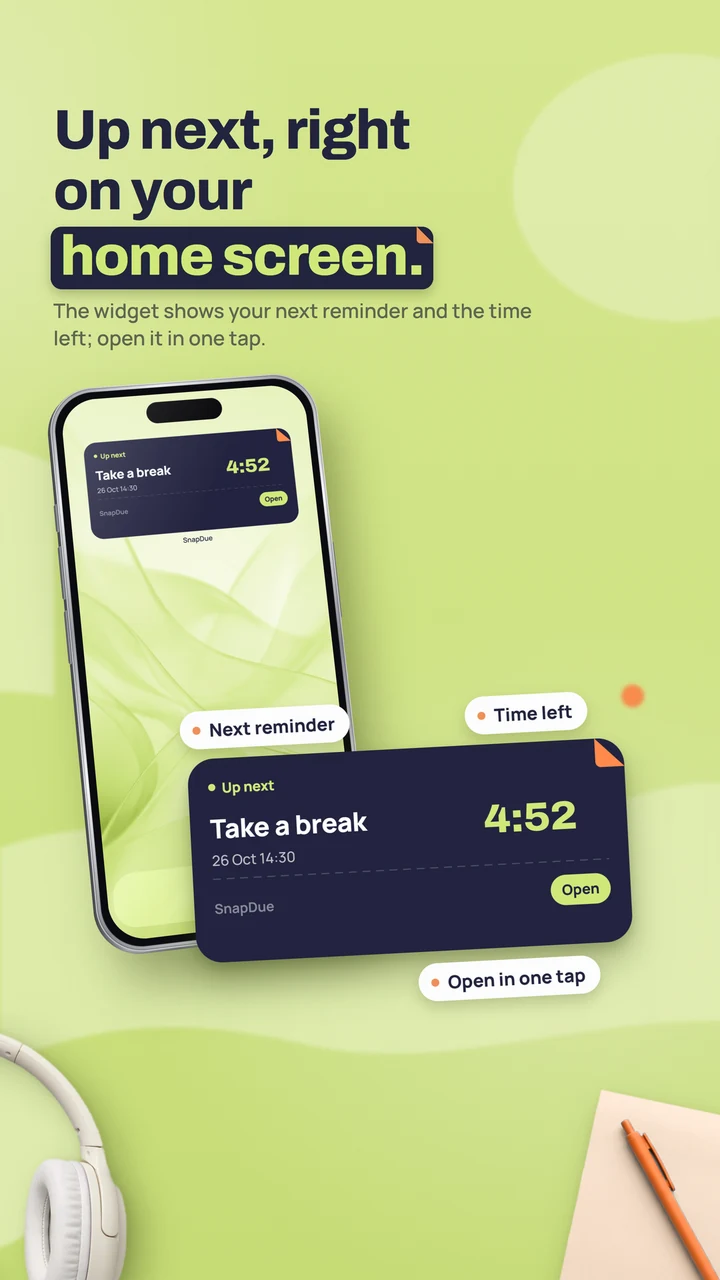
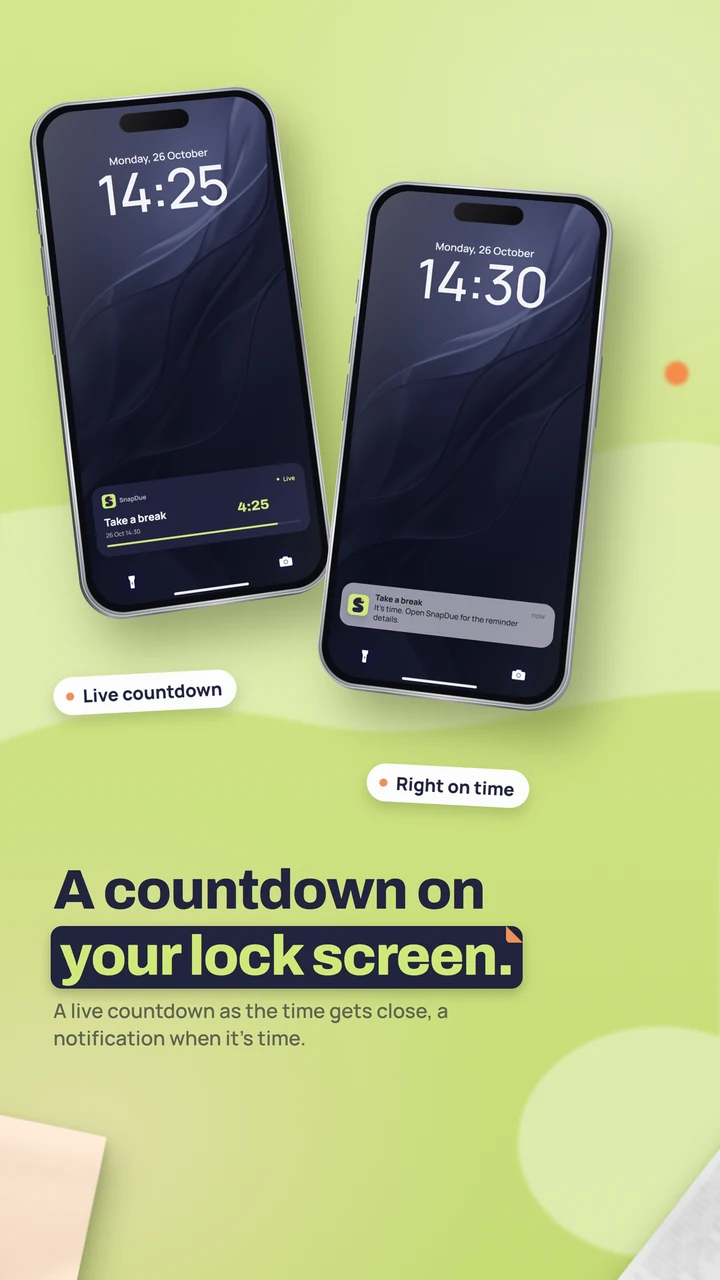
See your next reminder with home screen widgets, Live Activities on supported iPhones and the Android summary card.
SnapDue● Up nextAppearance and features vary by operating system. Notification permissions and your phone’s battery and sound settings apply.
06 / TAKE A LOOK INSIDE
07 / A LITTLE PEACE OF MIND
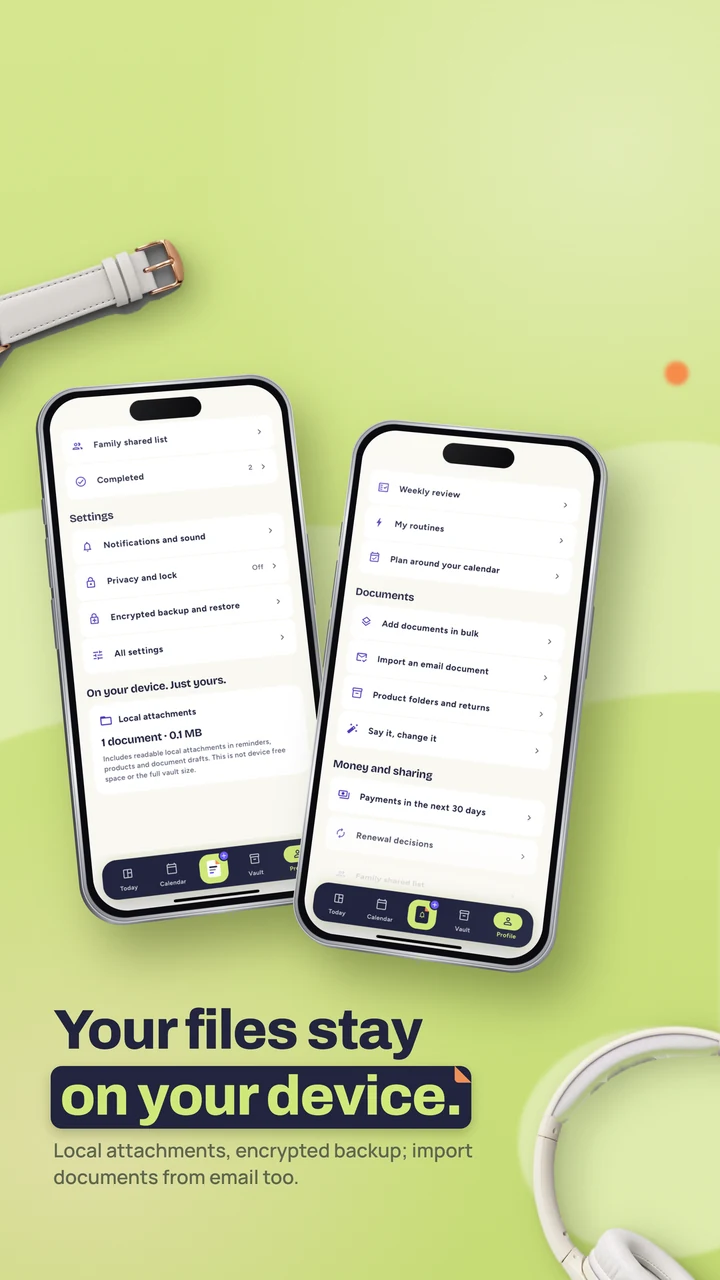
Your personal record content and documents are encrypted on your device. Use the app lock if you like. Create a password-encrypted backup and restore it on your new device.
Share tasks through shared lists. List content is end-to-end encrypted; documents in your personal vault aren’t shared automatically.
START SMALL. MAKE ROOM FOR MORE.
Start free with 5 active reminders. Move to SnapDue Plus when you need room for more.
5 active reminders
Unlimited active reminders
See your local price in the app store. Prices, taxes and availability vary by region. Annual access auto-renews; lifetime is a one-time purchase. The terms shown before purchase apply.
Personal records, basic date suggestions and on-device document reading work offline. Speech recognition, store purchases and syncing shared lists may need a connection. This version does not use cloud AI.
Text recognition and date suggestions can make mistakes. Check payment dates, amounts and warranty periods against the original document before saving.
SnapDue helps you make decisions and follow progress. You cancel with the service provider. Refund payments are tracked from details you enter, without a bank connection.
Create a password-encrypted backup in the app before switching. Keep the file and password safe, then restore on your new device. There is no automatic cloud backup. JSON or calendar export is not a full encrypted archive.
The iPhone release is under App Store review. We’ll share the public download link here once it is available. The Android version is on Google Play.
HERE’S TO A LIGHTER DAY.
Give the little dates a place. Keep room for the bigger plans.
The iPhone App Store link will be here soon. You can get the Android version now.